Chapter 15. Using Security
- 15.1. Getting Started
- 15.2. Remote Connections
- 15.3. Restricting Access
- 15.4. TOTP Authentication
- 15.5. LDAP Authentication
- 15.6. Custom Data Permissions
- 15.7. MQTT per-topic permissions
- 15.8. SSL Encryption
- 15.9. Permissions for the DataHub Command Set
- 15.10. Passwords
- 15.11. Tunnelling Security - Best Practices
DataHub Security lets you control access to your DataHub user accounts as well as MQTT, OPC Classic, OPC UA, tunnel/mirror, TCP, and DDE connections, providing authentication and authorization, and support for SSL, LDAP, and TOTP. Here you will find necessary how-to and other information for gaining the most benefit from DataHub Security. For detailed information about each of the Security feature options, please see Securityin the Property window chapter
15.1. Getting Started
15.1.1. Overview
When configuring security you act as an administrator, restricting access and allowing only authorized connections to the data and functionality of a DataHub instance. Security is administered through several constructs:
User - An identity provided to programs or devices authorizing them to connect to the DataHub instance.
Principal - A login context for a specific user. It consists of two parts:
Connection source (IP pattern)
Connection protocol (Interface, e.g., TCP, OPC, MQTT)
Role - A collection of permissions for DataHub data and functionality.
Permission - A means of controlling and regulating access to specific DataHub application- and data-level functions.
These security constructs are owned by one of two organizations:
The Internal Organization is defined and managed by the DataHub instance. It is standard and cannot be changed or edited by the administrator, but its constructs are available for use while configuring users, principals and roles that belong to the Local organization.
The Local Organization is configured and maintained by the administrator. Think of it as ‘your’ organization.
15.1.2. Fresh install or migrating?
In version 11 the DataHub security model is entirely different from previous
versions, and uses a different database
file—securityV11.
instead of nn.sqlitesettings.sqlite.
When you run v11 for the first time the DataHub engine creates the new security database file with default entries, and migrates the security data (i.e., users and permissions) from the previously installed version, including special OPC UA security rules.
To carry over permissions from your previous version, the DataHub engine
replicates each set in an identically named role with the string
"_migrated" appended to the name, to distinguish it from
the v11 version. For example, BasicConnectivity would become
BasicConnectivity_migrated.
If you revert from v11 back to v10 the v10 security database file remains unchanged, and you will find your settings to be as they were the last time V10 was used.
15.1.3. Changing the admin password
Starting up DataHub v11, you may notice a new pop-up dialog, Security Risk.
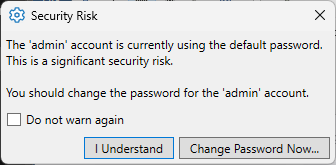
This warns you that your DataHub instance is configured with the default password
for the admin user, admin. To change this:
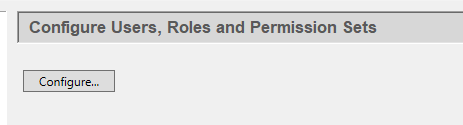
Select the Security option
 and click the
button.
and click the
button.Set the Organization to , and click the
adminuser.Click the button to open the Edit User window.
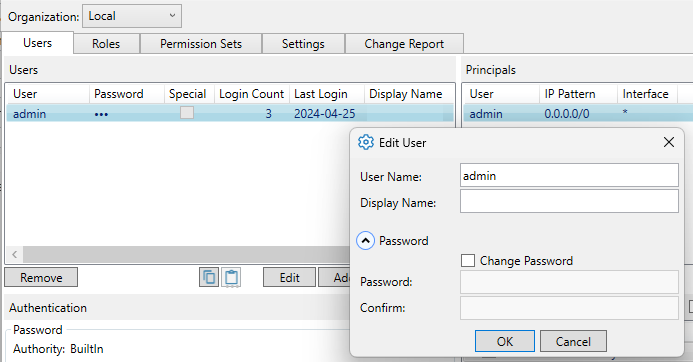
Open the section and click the button. Enter a new password that is non-trivial (i.e., at least 8 characters, mixed case, and not a capitalized word). This will prevent the warning dialog from popping up.
Click or to apply your changes. When you restart your DataHub instance, the warning will no longer appear.