Chapter 1. User's Guide
1.1. Getting Started
1.1.1. Overview
Skkynet Vine Add-in for Microsoft Excel connects Excel 2010, 2013, 2016, 2019, 2021, or Office 365 (desktop version) to Cogent DataHub software or the Cogent DataHub service for Microsoft Azure. This manual assumes that you have installed Cogent DataHub software, or that you have access to a Cogent DataHub service for Azure account.
1.1.2. Installation
To install the Vine Add-in simply download the program archive, double-click on it, and follow the instructions. You will need to close Excel for the installation.
1.1.3. Demo Workbook
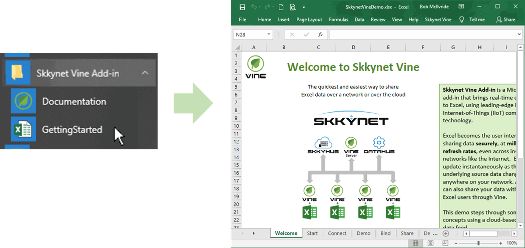
The Vine Add-in installation includes a demo workbook that provides a step-by-step, hands-on demonstration of the most-used features. We encourage first-time users to go through that first, and refer to this documentation as a secondary resource.
1.1.4. Video
Here is a video that shows how to connect the Vine Add-in to a DataHub instance.