2.4. Save and View a Page
To save the page, you can click the Save button
 , or choose from the
menu, or press Ctrl +
Shift + S.
, or choose from the
menu, or press Ctrl +
Shift + S. 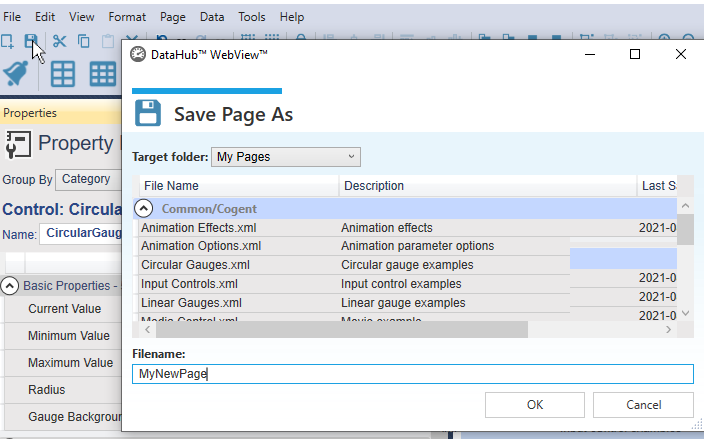
Specify a file name for the page.
![[Note]](images/note_1156523861.png)
Any page created in WebView version 1.4 and earlier (that was distributed with DataHub version 7.x) gets upgraded to the current version of the WebView application as soon as it is opened. If you save this page, the conversion is permanent, and you will be unable to load the page in the older version of the WebView application. If you expect to revert to the older version, you should create a backup of your page before saving it in the latest version of the DataHub program.
To enter Run mode and view your page, click on the button
 or press Ctrl + Shift
+ R.
or press Ctrl + Shift
+ R.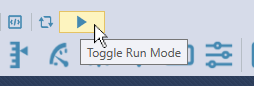
Your page will appear in the web browser as a user would see it, with all the controls fully animated and functional.
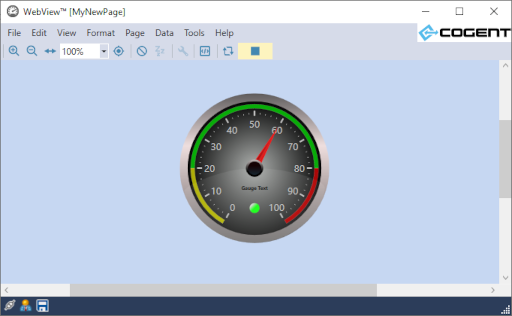
To exit Run mode and return to Design mode, click on the button
 or press Ctrl + Shift
+ R.
or press Ctrl + Shift
+ R.
See also Chapter 3, Pages for more details about saving and viewing pages.