2.5. Add a Symbol
Find the Symbol control button near the end of the list of controls, possibly in a drop-down list. and click it.
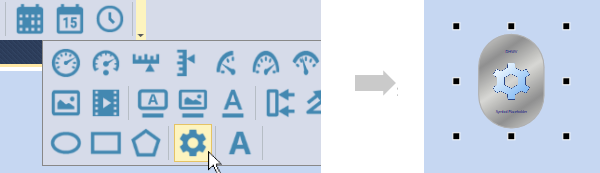
A copy of the Symbol control will appear in the page. This one control can be used to represent any symbol in the symbol library, which contains thousands of different symbols.
In the Properties list, for the Symbol Set, choose Symbol Factory. For Category choose , and for Symbol, choose .
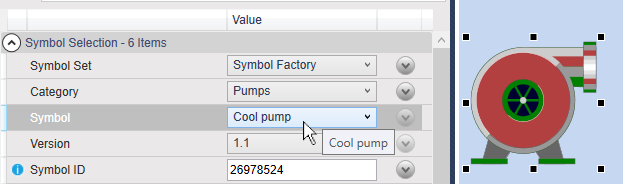
The generic symbol icon should change into a symbol of a pump.