2.6. Bind a Control to another Control
Most controls can bind their properties to other controls, so that when the first control is modified, the bound control gets modified automatically. Here's an example, binding the value of the pump we just created to the value of the gauge.
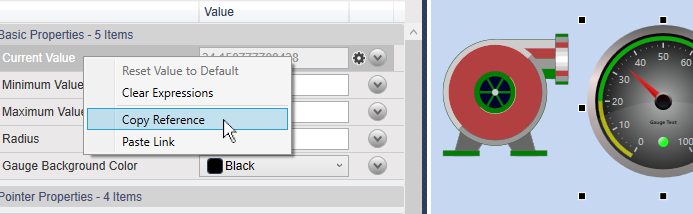
Click the gauge, and in the Basic properties, right-click the Current Value row, and select .
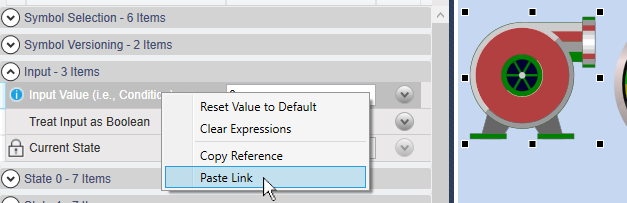
Click the pump, and in the Input properties, right-click the Input Value row, and select .
The pump will take the same values as the gauge, and turn green, the default non-zero color for this symbol.
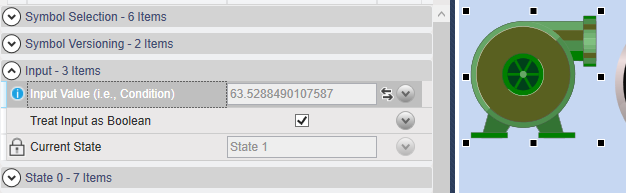
Notice that the Current State is State 1, for
True. This default can be changed, as explained below.
See also Chapter 5, Property Binding for more details about binding control properties.