2.7. Set Symbol States
Most symbols can be set as booleans, to show on/off states, and many can also display multiple states. Here we'll change the default boolean settings and colors of the pump to display three different states.
Click on the pump, and uncheck the Treat as Boolean box.
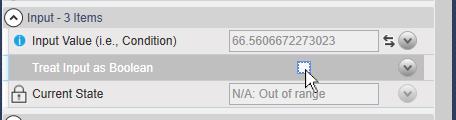
In the State 0 properties, for Value Is Less Than or Equal enter a value of
25. Then change the Color to .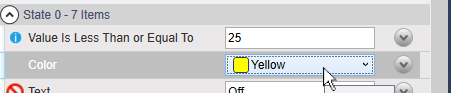
In the State 1 properties, enter a value of
80and change the Color to .In the State 2 properties, enter a value of
100and change the Color to .
Now, whenever the gauge value is between 0 and
25, the pump highlight color will be yellow,
26 to 80 medium sea green, and
81 to 100 red. Notice that for each state
you enter the maximum value, while the minimum value is controlled by the previous
state.