Chapter 11. Query a Database
Table of Contents
11.1. Introduction
The DataHub program can query any ODBC compliant database, and bring the data back as DataHub points, or into a single point in XML format for use in $wvp;.
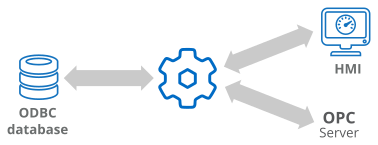
The DataHub ODBC Data Logging interface provides an easy way to connect to a database and submit a query. There are two options for writing the query to a DataHub instance: one DataHub point per row, or the whole query results in a single DataHub point. The fastest way to learn how to use the interface is by using the Quick Start.