Chapter 15. Security
The Cogent DataHub program provides a means for full access control to all DDE, TCP, OPC, and tunnel/mirror connections, using authentication and authorization. Authentication limits access to recognized users, based on a username/password combination. Authorization provides a set of permissions for each user, allowing access to certain functions while denying access to others.
The DataHub program also provides full SSL (Secure Sockets Layer) encryption for TCP/IP tunnelling and mirroring connections.
15.1. How to Configure
In the DataHub Properties window, select Security. 
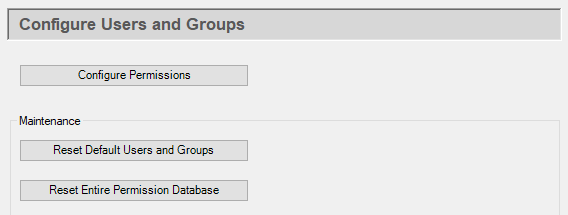
Click the button to open the Edit Permissions window.
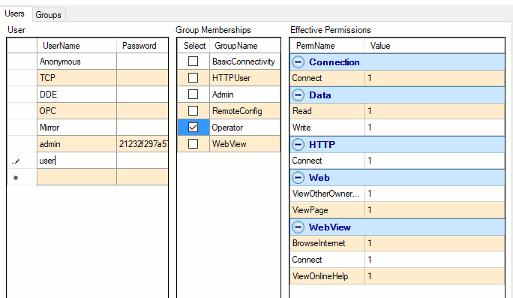
Here you can create and modify groups, and then assign users to those groups.
Groups
Groups provide a convenient way to configure a number of users who have identical
permissions. Each group can be assigned a unique set of permssions from the
Permissions table. There are several default groups, such as
BasicConnectivity, HTTPUser,
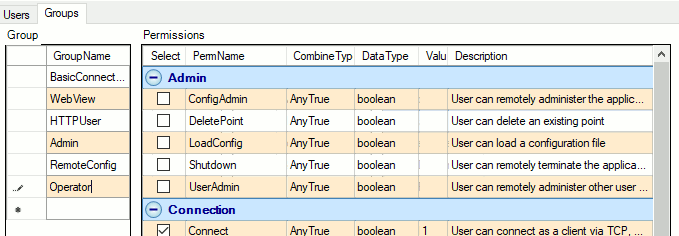
Admin, and RemoteConfig. To add a group, type a
group name in the bottom row of the Groups table. Check or uncheck the
boxes to assign permissions.
For example, in the illustration below an Operator has been added that
has been given Connection permissions for Connect,
Read, and Write.
Users
There are two kinds of users: normal and special. Normal users correspond to individuals with a name and a password. Special users provide a way to offer different security models for different protocols. For more information on types of users, please refer to User Authentication.
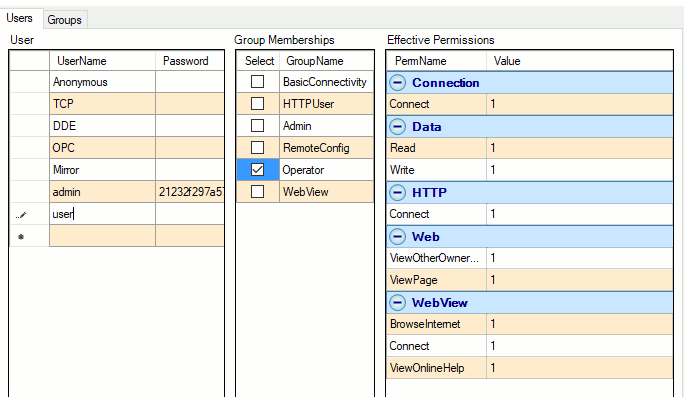
To add a user, type a user name in the bottom row of the User table. When you press Enter, a password dialog will appear:

Enter a password for that user. We recommend using strong passwords, defined as:
At least 8 characters long, and
having mixed character case, and
not a capitalized word.
For example,
Passwordis not strong, butpAssword,PassWord, andPassword123are. Better yet, use something stronger likeCon#rol%9.
When you click , a string of characters will appear in the Password field for that user. Passwords are stored using a reasonably strong non-reversible encryption. If a user forgets his password, it is not recoverable. For more information on passwords, please refer to Passwords.
Common Scenario
The most common DataHub security configuration is to allow any user to connect via OPC or DDE, while only allowing authorized users to connect via TCP or via a tunnel/mirror. This eliminates exposure of the TCP and tunnel/mirror connections to unwanted Internet and network clients. OPC and DDE are not exposed in this way.
To configure this scenario, you need to remove all group memberships from the special
Anonymous, TCP, and Mirror
users. Simply click on each of these user names in turn, and uncheck all group memberships
for that user. When you are finished, only DDE and OPC
should have any group memberships.