2.2. Add and Modify a Control
You are ready to begin building pages.
Find the Circular Gauge 2 control button among the controls in the Toolbar, and click it.
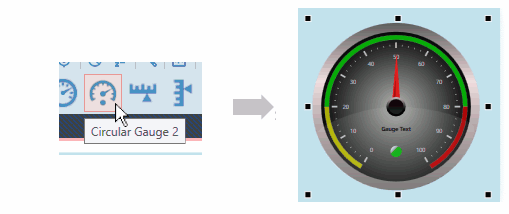
A copy of the Circular Gauge 2 control will appear in the blank page.
Now let's adjust a property of the gauge. In the Properties list in the Explorer Panel, find the Scale Properties, expand the list, and in the Scale Label Font Size, enter
20.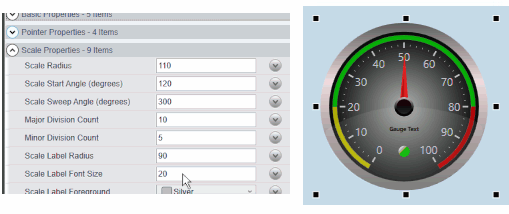
Press Enter, and the font size of the numbers on the gauge will expand to 20 points.
See also Section 4.3, “Control Properties” for more details about working with control properties.