Chapter 9. Write to a Database
9.1. Introduction
The DataHub program can write data to any ODBC compliant database or text file[2].
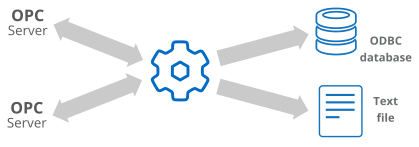
With this feature of the DataHub program you can:
Log data to any ODBC-compliant database, such as MS Access, MS SQL Server, MySQL, Oracle, and many more.
Log from any data source connected to a DataHub instance.
Log to existing database tables, or create new tables as necessary.
Log data to a text file using the
LogFile.gscript.
![[Note]](images/note_1156523861.png) | |
To write data from a database into a DataHub instance, please see Chapter 10, Query a Database. |
The DataHub ODBC Data Logging interface provides an easy way to connect to a DSN, create or select a table, assign data point properties to table columns, and assign a trigger and conditions for logging points. The fastest way to learn how to use the interface is by watching the web-site video or by using the Quick Start.