14.6. Using Git Tracking
Enabling Git Tracking
Navigate to the Git tab.
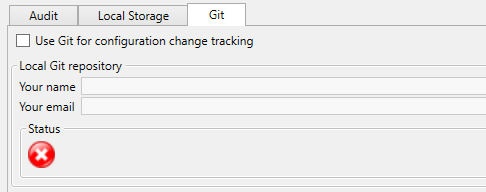
Check Use Git for configuration change tracking. If Git is not installed on the server, a red warning message is displayed on the tab. Install Git before proceeding.
Enter your name in Your name and your email in Your email to set up the Git committer identity.
Click .
Upon applying this configuration, DataHub automatically initializes the local Git repository behind the scenes (the manual initialize button has been removed for a streamlined experience). DataHub now automatically commits configuration files whenever changes are saved, maintaining a permanent, detailed version history. The current repository state and details of the most recent commit can be monitored at any time under the Status section of the Git tab.