14.2. Enabling Audit
To enable the audit trail:
Open Remote Config and navigate to the Audit section.
![[Note]](images/note_1156523861.png)
Using Remote Config for Audit prevents unauthorized access to its configuration and records through the DataHub file system.
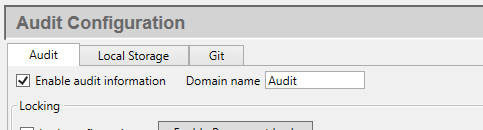
On the Audit tab, check Enable audit information.
Optionally, change the Domain name if you need audit data points published under a different domain. The default
Auditis suitable for most configurations.Click to activate the audit subsystem.
Once enabled, DataHub begins publishing audit events as data points in the configured domain. To record events persistently, configure local storage or Git tracking as described in the following sections.