14.4. Monitoring Data Points
In addition to predefined audit events, you can monitor individual DataHub data points for value changes.
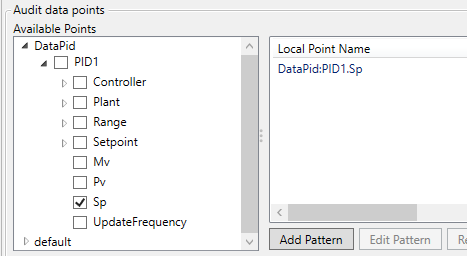
On the Audit tab, locate the Audit data points group.
Expand the domain tree and check the data points you want to monitor.
Click . Value changes on the selected points are now recorded as audit events.
The audit domain (the domain specified in the Domain name field) is excluded from the data point tree to prevent circular monitoring.
When the configuration is locked, previously selected data points cannot be removed, but new data points can be added.