Chapter 3. WebView Scripting
There are two resources for learning about WebView Scripting:
For online documentation, please refer to the DataHub WebView Scripting Manual.
For examples of WebView scripting implementations, please view the last group of these videos, under the title DataHub WebView Video Blog (Advanced Topics), on the Cogent DataHub website.
3.1. Pre-Loaded and Sample Scripts
Several WebView scripts are installed with the DataHub archive. These are found in the
installed content file location, under
Content/Common/Scripts/Cogent. You can view these scripts
by opening the Scripts tab in Design mode.
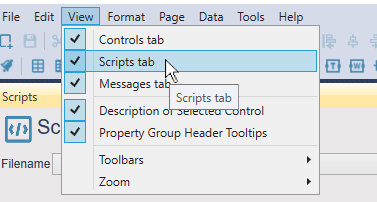
You can use the Script Explorer to browse the scripts:
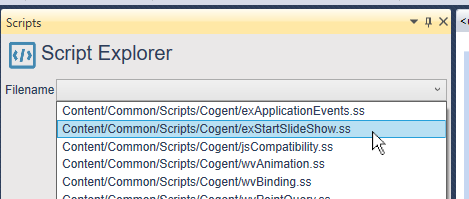
Scripts whose names start with ex are example scripts. Those
that start with wv contain helper functions that enable you to
easily leverage advanced capabilities like element animation and slide shows. This
interface is read-only, because none of these scripts should be edited.
You can edit an example (ex) script by first copying it to your
user content file location, and
modifying the copy. This way it will not be replaced by the default script when the
DataHub program is updated. However, you should not edit any of the
wv scripts like this, as that may lead to unexpected results.