Chapter 17. Email and SMS
- 17.1. Introduction
- 17.2. Configuring the Mail Server
- 17.3. Sending a Test Message
- 17.4. Defining the Email Message
- 17.5. Assigning a Trigger
- 17.6. Setting Trigger Conditions
- 17.7. Configured Actions
- 17.8. Sending SMS Text Messages
- 17.9. HTML Message Examples
- 17.10. Dynamically Changing Email Subjects and Recipients
17.1. Introduction
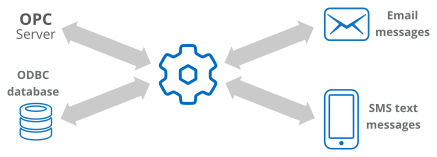
The DataHub program lets you send emails and SMS text messages, triggered by a DataHub event such as a point value change, or by a timer. The emails and messages can be in plain text or HTML format, and they can contain current values for any data point in a DataHub instance.
With this feature of the DataHub program you can:
Send SMS text messages to cell phones when an alarm event is triggered.
Design end-of-day reports that are delivered to managers' email accounts each morning.
Provide managers with regular email updates of production targets.
Emails can contain data from OPC servers, ODBC databases and other sources.
Eliminate errors associated with manually writing production reports.
Have a DataHub instance collect vital report information, format it as an Excel spreadsheet and then email the file to key people for review.
How it works
The DataHub program has a built-in mailing program. DataHub scripts tell the program
what messages to send, to whom, and when to send them. A typical mailing script
contains instructions to send an email in plain text, HTML format using ASP, or
both. The example script, MailTest.g contains examples of both methods.
You can run this script to test the mailer, and then use the examples that follow to
send your own messages.
The sections in this chapter show you how to: