Chapter 8. Bridging
Table of Contents
8.1. Introduction
Bridging means connecting two data servers together so they can access each other's data, even when neither of them can act as a client.

In addition to bridging two servers on a single computer, the DataHub program offers advanced bridging capabilities that let you:
Bridge servers over a network connection, by tunnelling.

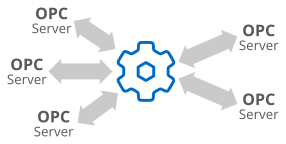
Bridge between any number of servers, through aggregation.
Scale, convert, or normalize the data as it is bridged from one server to the other, with built-in linear transformations.
Define even more complex relationships between points in code using DataHub Scripting.
You can configure the bridges you need using the Bridging option in the Properties Window.