Chapter 16. Making Notifications
The Notification feature allows you to configure notifications for any data in the DataHub program, and send them by email, SMS, or social media applications. You configure notifications by defining templates for different states and conditions in your system, associating them with notifiers, and binding them to data. The various aspects of a notification are interrelated, and can be configured in several ways.
The easiest way to start using the Notification feature is by following an example. In
the DataHub Properties window, select Notification.  This will open the Notification Configuration:
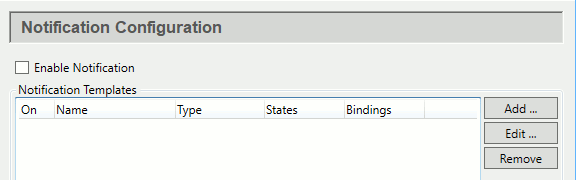
The top area of this interface is for working with templates, which typically is done most frequently. However, for your initial configuration, you will first need to add at least one notifier, in the Notifiers section.

16.1. Configure a Notifier
In the Notifiers section, click the button to open the Configure Notifier window:

For the Name of our notifier, enter
Emailer, and for the Notifier Type, select Email.Enter the appropriate information for the email account you will use to send notifications.
Click and . Now you have an email notifier, and are ready to define a template.