4.6. Encrypting a Script
The DataHub installation archive contains a script called
EncryptScript.g that makes an encrypted copy of any Gamma
script. You can encrypt your scripts as follows:
Run the
EncryptScript.gscript. Here's how.Right-click on the DataHub icon in the system tray to open the DataHub menu. You should see a new menu entry: .
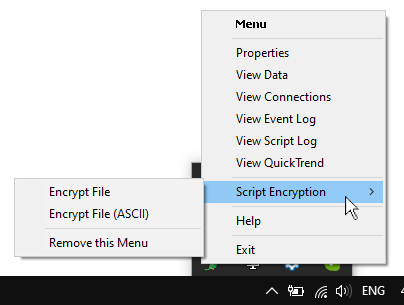
There are two options for encrypting a file. The option uses 8-bit characters, which produces a smaller, faster loading file than an ASCII file, but it may not transfer properly through some mail or FTP servers. If that is an issue, you can use .
Choose either or . This will open a file selection dialog.
Select the Gamma (
.g) file that you want to encrypt. If the encryption succeeds, you will get a success message. The encrypted script will have the same name as the original script, except with a.gmcextension.You can add the encrypted script to your list of scripts now, and run it. Here's how. The encrypted script should behave exactly the same as the
.gfile, but will be difficult for a user to examine.