Chapter 20. DataHub Scripting
The Cogent DataHub program has a powerful, built-in scripting language called Gamma. Using the Gamma language, you can write scripts to interact with the DataHub program and its data in various ways, such as:
Attach scripts to specific data points so the scripts are run whenever the point value changes.
Build custom dashboards and summary displays directly in Gamma scripts to create self-contained DataHub applications.
Create alarm condition scripts and have them display warning messages to the user.
Create Excel readable log files from your live data by running logging code on a timed interval, or whenever a point change occurs.
Connect to ODBC compliant relational databases to extract data as well as create records from live data.
Apply linear transforms on data as it passes through the DataHub program (for example change a temperature reading from Celsius to Fahrenheit).
Create full simulation programs to test production systems before you 'go live'.
Please refer to the DataHub Scripting manual for more information about scripting.
20.1. Tools
The DataHub program comes with a built-in Script Editor for writing and editing scripts, as well as a Script Log for viewing script outputs.
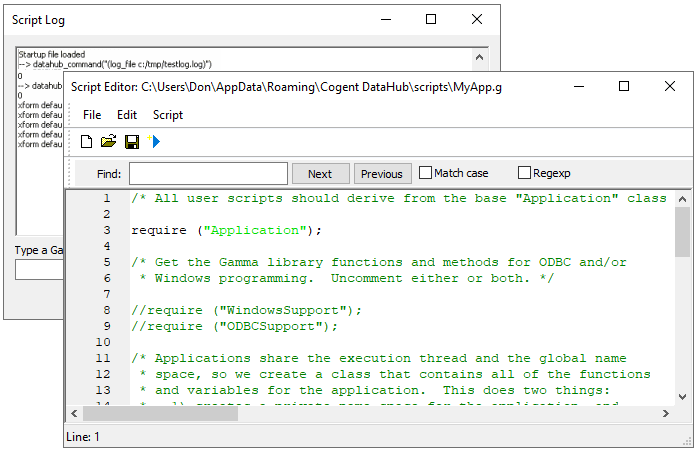
Please refer to the DataHub Scripting manual for more information about how to use these tools.