3.2. The Script Editor
The DataHub program comes with a built-in Script Editor[6]. You can open the Script Editor from the option of the Properties window of a DataHub instance. Select a file name, press the button, and the Script Editor will open:
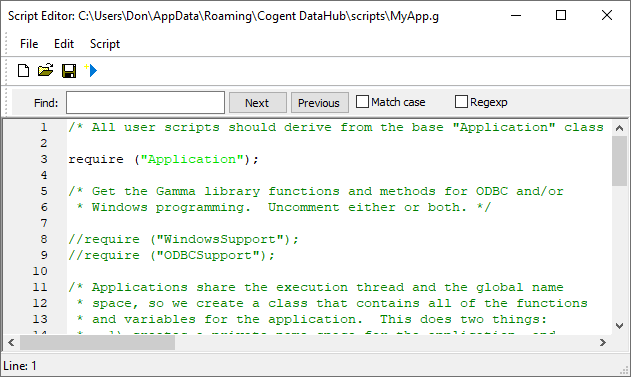
The Script Editor offers basic script editing features such as context-sensitive highlighting, prompted fill-ins for functions and variable names, automatic indenting, text string searches, and so on. In addition to the normal menu and toolbar options, it has a menu that provides the following options:
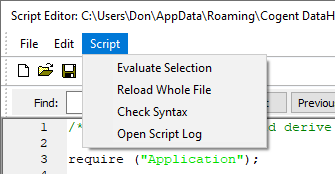
sends whatever block of text you have selected to the Gamma engine for immediate processing.
sends the entire file to the Gamma engine for immediate processing, without you having to save the file first. This functionality is also activated by pressing the blue arrow icon on the toolbar.
checks the syntax of the whole file without running the script. Any errors will be displayed in the Script Log.
opens the Script Log.
The Script Editor toolbar has a blue arrow icon  in addition to three standard icons for creating, opening, and
saving files. Clicking the blue arrow saves the script as written and runs
it.
in addition to three standard icons for creating, opening, and
saving files. Clicking the blue arrow saves the script as written and runs
it.