Basic Troubleshooting
Before doing anything else, you should ensure that a DataHub instance and the Gamma
engine are running properly. You can do this by running the
WindowsExample.g file. Start the DataHub instance, and in the
Scripting option of the Properties window, load the
WindowsExample.g script. (How do I load a script?) When the script is properly loaded, it should
display the Monitor window:
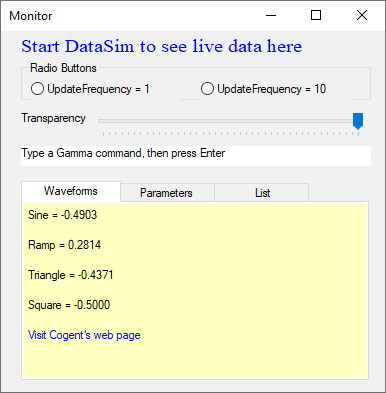
This is a demonstration script for DataHub MS Windows Support. If the DataSim program is running, you should be able to see its data and interact with it through this Monitor. If you cannot, you need to check your DataHub program installation and configuration before troubleshooting scripts.
Troubleshooting Scripts
Did the script not run as expected? What happened instead? Here are some suggestions:
The Script Log displays one or more error messages with relevant line numbers if there are any syntatical or scripting errors, and the Gamma engine will stop executing the script at that point.
Incorrect output or no output probably means that your script's logic is incorrect. Review your code, correct any errors, and load it again.
Single expressions, whole lines, or entire blocks of code can be evaluated independently. Highlight the portion of the code text and select from the menu.
You can trace the steps of execution by inserting
princstatements at strategic points.