15.4. Tunnel and MQTT Users
Incoming tunnel Slave connections to the tunnel Master and incoming MQTT client connections to the MQTT Broker are made programmatically, with no user interactions. To accept these connections you need to configure users with non-interactive logins. Here's how this is done for tunnel/mirror connections:
In the DataHub Properties window, select the option and click the button.
Set the Organization to , and in the Users tab, under Users, click the button and select .

Enter a User Name of
TunnelUserwith a passwordEfgh5678. Uncheck the box.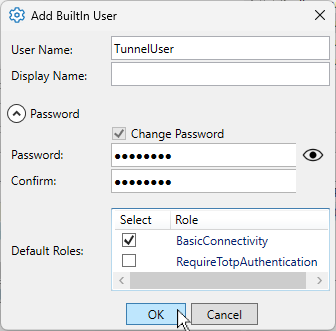
Click the button. The user name TunnelUser will appear in the Users list, as well as in the Principals list.
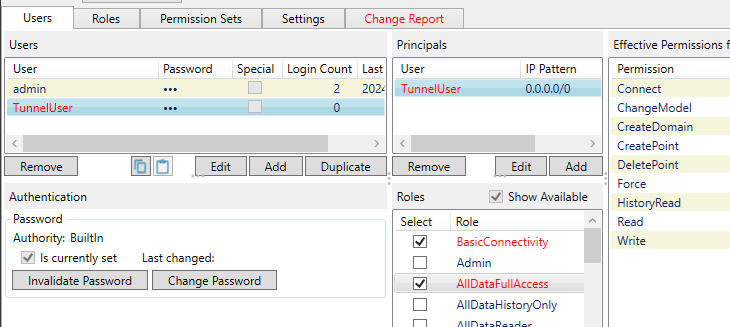
Check the box to provide read and write permissions on the full data set. Or choose other role(s) as appropriate.
Click to apply the changes.
You can configure a similar user for incoming MQTT client connections or for any other non-interactive user.