3.18. Email/SMS

|
The Email/SMS option lets you configure the DataHub program to send emails and SMS text messages. The outgoing mail server is configured once, and each email message is configured separately. |
![[Note]](images/note_1156523861.png) | |
For more information about sending emails and SMS messages, please refer to Chapter 17, Email and SMS. |
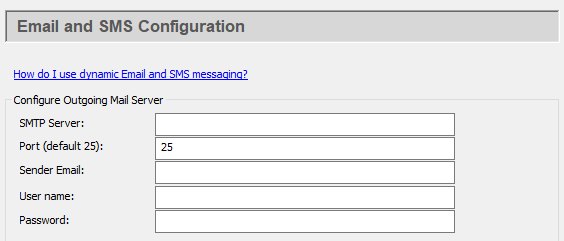
Configure Outgoing Mail Server
- SMTP Server:
The name of the SMTP server. You can use the same SMTP server listed in your email client program.
- Port (default 25):
The SMTP port number (typically this is port 25).
- Sender Email:
The email address of the sender. This will appear in the
Fromfield of the email.- User name:
The log-in name you use to access this SMTP account.
- Password:
The applicable password.
Security
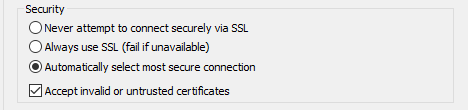
Ensures that SSL is not used.
Ensures that SSL is always used, and that any connection attempt without it will fail.
Allows the DataHub instance to choose the most secure type of connection available on the mail server.
Ignores security certificate warnings.
Click the button to submit your entries.
Configure Email and SMS Events

To press the button to open the Email/SMS Events window:
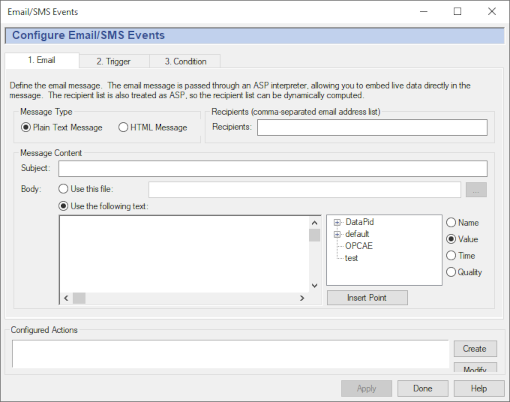
A complete explanation for this window can be found in Chapter 17, Email and SMS, starting with the Sending a Test Message.
Click the button to submit your entries.