
A script binding can contain any number of expressions. The value of the property will be the result of the last executed line in the script.
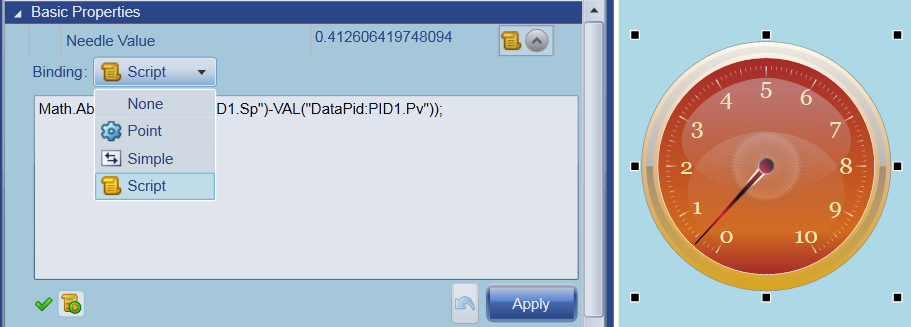
The binding type can be interactively selected in Design Mode by using Property Explorer, as illustrated below.
The binding type can also be programmatically set in script via the IPageElementParameter.SetBindingType method. When setting the binding type in script, you must use the BindingType enumeration, as in the following code.
 var p = Page.GetParameter("myGauge@NeedleValue");
 if (p != null)
 {
   var expr = "Math.Abs(VAL(\"DataPid:PID1.Sp\")-VAL(\"DataPid:PID1.Pv\"));";
   p.SetBindingExpression(BindingType.Script, expr);
   p.SetBindingType(BindingType.Script);
 }