
Emits a warning trace message to Trace History.
To see a list of trace messages, select Tools | Diagnostics | View Trace History.
Typically, the Trace History dialog is configured to display warning and error messages only. You may have to modify the filter settings and/or your trace configuration options. For more information, see Troubleshooting.
This example illustrates how to detect a data Quality problem with a data point.
When the quality of
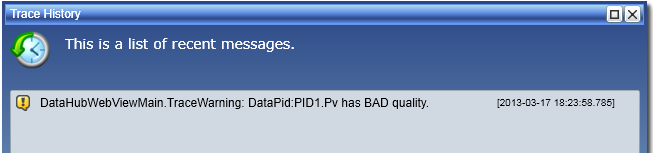
DataPid:PID.Pv is not GOOD, the code emits a trace message and displays a message dialog.
Since GET automatically triggers the script to be reexecuted
every time the data point value changes, the qualityIsBad flag will be reevaluated on each point change.
 var pt = GET("DataPid:PID1.Pv");
 var qualityIsBad = pt.Quality < 192;

 if (qualityIsBad)
 {
   var msg = string.Format("{0} has BAD quality.", pt.PointName);
   WV.TraceWarning(msg);
   WV.MsgBox(msg, pt.PointName, Severity.Warning);
 }