Chapter 5. Usage Monitoring
Using the SkkyHub Portal you can monitor your DataHub service usage and billing charges by point counts, updates, connection time, and other factors. Usage data is updated hourly, and usage charges are submitted to Microsoft hourly.

Usage
Go to portal.skkynet.com
Log in using the Organization ID and User Name from the email you received from Skkynet, and the Password that goes with them.

In the drop-down list, choose .
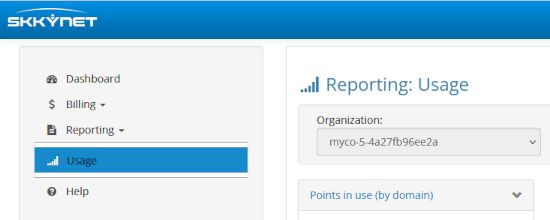
This displays a page showing various charts.

![[Note]](images/note_1156523861.png)
The statistics are updated every hour on the hour. You will not see any data until at least one update.
For each chart you can configure these parameters:
- Selected Period
 Choose a time range of
, ,
,
,
, or
.
Choose a time range of
, ,
,
,
, or
.- Trend / Previous / Current
 Choose how to display your usage: as a trend,
or as a pie chart for the previous or current period.
Choose how to display your usage: as a trend,
or as a pie chart for the previous or current period.- Show Table / Show Chart
 Toggle between a table or chart display.
Billing Charges
Billing charges for the Cogent DataHub service are based on the features and extensions you enable. From the SkkyHub Portal you can create a report that shows the various charges.
In the drop-down list, choose .

Specify a time period and a usage extrapolation, as needed.

Click the button.

This report is for your reference. Your bill will come from Microsoft.