2.3.3. The Grid
To show gridlines click the button  , or type
 True in the
menu,
dialog, Design
Mode list, Show gridlines entry.
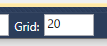
To change the grid size enter a number of pixels in the Grid entry field at the bottom right corner of the editing window.
To snap controls to the grid click the button  , or type
 True in the
menu,
dialog, Design
Mode list, Snap to grid entry.