3.12.3.3. AWS IoT Core
Click the AWS IoT Core tab and follow the instructions given in the interface:
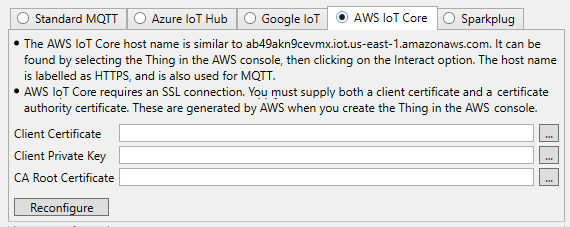
Client Certificate, Client Private Key, and CA Root Certificate entries correspond to files that AWS provides. After entering the correct information for all three fields, press and the DataHub instance will automatically create a certificate file and fill in the members of the Authentication and Message Content tabs.
![[Note]](images/note_1156523861.png) | |
If you need to change any auto-generated settings, please keep in mind that AWS IoT Core does not accept connections with quality of service 2, or with message retention, and only allows the following settings in the Message Content tab:
|
When you are finished, you can configure your Exchange Data options.